Monitor Buying Guide: Resolution, Refresh Rate, and Color Accuracy
Learn how resolution shapes detail, refresh rate drives smoothness, and color accuracy secures true-to-life images to choose the right monitor.
Resolution and Pixel Density: A monitor's resolution describes how many pixels fit on the screen, while pixel density (PPI) determines how sharp text and images appear at your typical viewing distance. Higher counts like QHD or UHD/4K reveal fine details in photos, video, and design layouts, but they also demand more from your graphics hardware. For general computing and streaming, FHD can be perfectly clear at modest sizes; for dense spreadsheets or photo editing, stepping up to QHD balances clarity and performance. Creative workflows benefit from UHD/4K when you need to see more of a timeline or high‑resolution canvas at once. Consider scaling: higher resolutions on smaller screens may require interface scaling so menus and text remain readable. Also weigh aspect ratios. Standard 16:9 suits most desks; ultrawide and super‑ultrawide formats expand horizontal workspace, useful for editing timelines or multitasking without tiling windows. Match resolution to use case, desk depth, and the power of your computer.
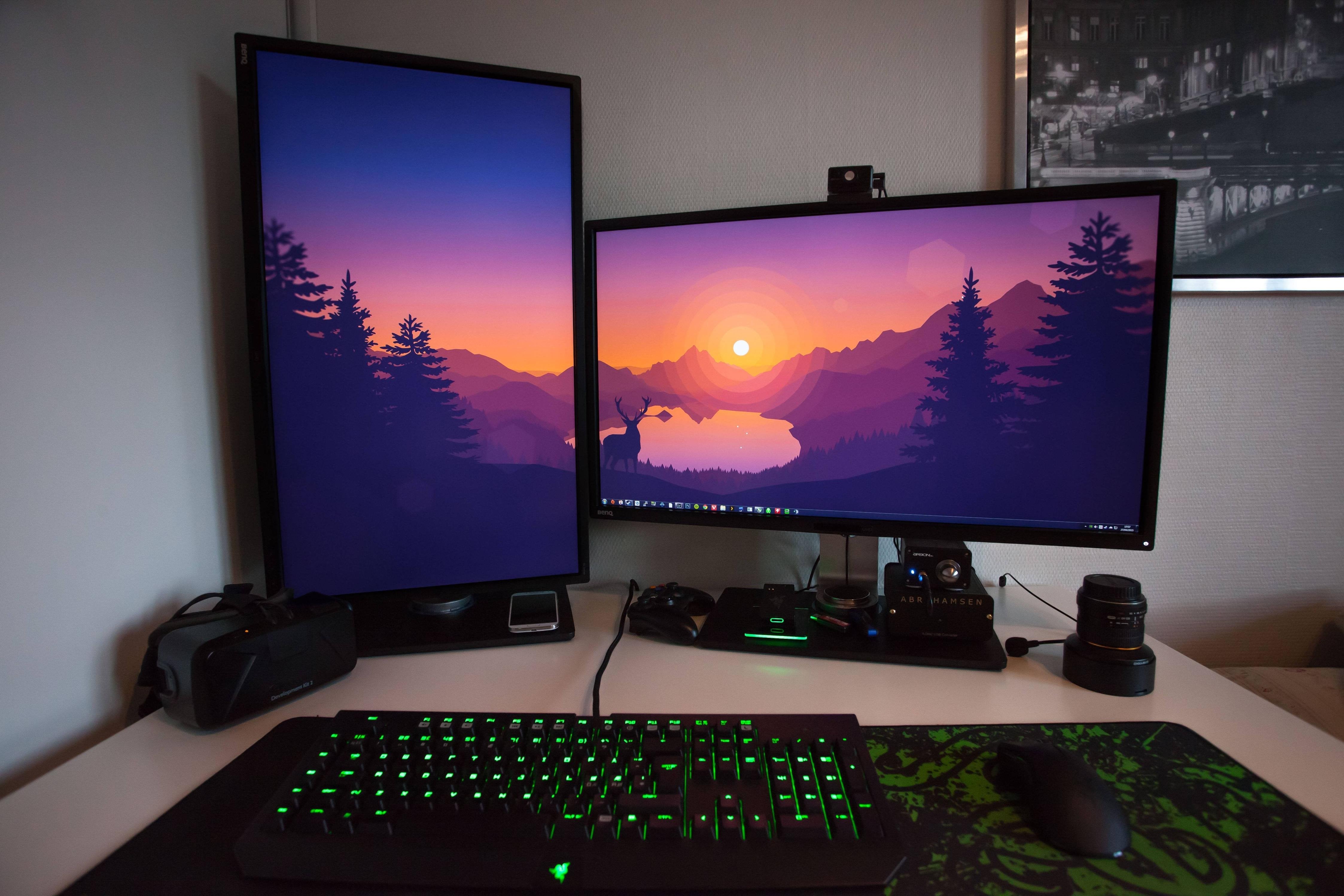
Size, Distance, and Ergonomics: Screen size changes how resolution feels. A larger display at the same pixel count lowers PPI, which can make text look softer when you sit close. If you favor sharp text, pair larger sizes with higher resolutions to preserve clarity. Factor in viewing distance: a deeper desk makes a bigger screen more comfortable, while a shallow desk may favor compact models or modest curves for better field of view. Prioritize ergonomics such as height, tilt, swivel, and pivot adjustments to align the top of the screen near eye level and reduce neck strain. A VESA mount allows flexible arms and clean cable routing. Screen surface matters too: matte coatings tame reflections in bright rooms, while glossy finishes deliver punchier contrast if you can control ambient light. For shared spaces, wide viewing angles help maintain consistent color and contrast off‑axis, improving collaboration and comfort.
Refresh Rate and Motion Clarity: The refresh rate measures how many times per second a display updates, and higher rates like 120 Hz, 144 Hz, or beyond improve motion clarity, responsiveness, and perceived smoothness. Gamers notice quicker aim tracking and reduced motion blur, but even scrolling documents or timelines feels more fluid at elevated refresh. Pair high refresh with variable refresh rate (VRR) or adaptive sync to align the display with your system's frame output and reduce tearing and stutter. Don't fixate on advertised response time alone; real‑world results depend on panel tuning, overdrive settings, and how aggressively a monitor trades blur for potential overshoot (inverse ghosting). Input lag also affects feel—lower is better for competitive play and responsive editing scrub. Ensure your cables and ports support the combination of resolution and refresh you want; insufficient bandwidth will force compromises or chroma subsampling that can soften text.
Color Accuracy and Panel Tech: If you work with photos, video, or design, prioritize color accuracy. Look for high gamut coverage of spaces like sRGB for web or DCI‑P3/Adobe RGB for cinema and print‑oriented tasks, and check Delta E targets for out‑of‑box precision. IPS panels are known for consistent viewing angles and reliable color; VA offers strong native contrast for deep blacks; TN focuses on speed but can sacrifice color; OLED delivers exceptional contrast and fast response with care for uniformity and burn‑in management. True 10‑bit support (or quality 8‑bit+FRC) can reduce banding in gradients, helpful for color grading. Calibrate with a colorimeter and apply an appropriate gamma and white point for your environment; a monitor with a hardware LUT and uniformity compensation can lock in stable profiles. Control ambient lighting, use a neutral background, and enable sRGB clamping when web‑targeted accuracy matters.
Connectivity, HDR, and Features: The right ports future‑proof your setup. DisplayPort often handles higher refresh at elevated resolutions, while HDMI offers broad device compatibility. USB‑C with DisplayPort Alt Mode can carry video, data, and power delivery for single‑cable laptop docking; built‑in USB hubs and KVM switches streamline peripherals across two systems. For multi‑monitor workflows, consider daisy‑chaining support. When evaluating HDR, look beyond the logo: true impact requires meaningful peak brightness, wide color gamut, strong contrast, and competent local dimming; basic implementations may improve highlights slightly but won't rival dedicated TVs. Check on‑screen display (OSD) tools like picture‑in‑picture, picture‑by‑picture, uniformity controls, and precise gamma/color presets. Comfort features such as blue‑light reduction, flicker‑free backlights, and ambient light sensors reduce strain during long sessions. Verify that included cables match your target resolution and refresh to avoid setup surprises.
Buying Scenarios and Checklist: Match specifications to goals. For competitive gaming, prioritize a high refresh rate, low input lag, and responsive overdrive, with VRR to smooth frame delivery. For cinematic gaming and movies, aim for strong contrast, wide color, and capable HDR, accepting a moderate refresh if needed. Creators should chase high resolution, reliable color accuracy, stable uniformity, and wide gamut coverage with repeatable calibration. Office multitaskers benefit from QHD or UHD/4K for dense spreadsheets and an ultrawide for side‑by‑side windows. Before you buy, run a checklist: desk depth and viewing distance, preferred size and aspect ratio, target resolution and refresh, necessary ports and power delivery, ergonomics or VESA mounting, panel type for your content, and any must‑have OSD features. Balance budget by investing where it matters for your workload; a well‑matched monitor becomes an effortless upgrade across everything you do.