Tablet vs 2-in-1: Which Device Fits Your Lifestyle
Torn between a tablet and a 2-in-1? Compare portability, power, apps, and workflows to choose the device that truly fits your life.
Choosing Between Tablet and 2-in-1. Your next mobile companion sits at the crossroads of comfort and capability, and the right choice depends on how you live, work, and unwind. A tablet excels at lightness, simplicity, and touch-first ease, while a 2-in-1 blends laptop-grade power with convertible flexibility. Start by mapping your lifestyle: Are you mostly streaming, browsing, reading, and sketching, or are you drafting reports, editing media, and juggling multiple apps? Consider where you'll use the device—sofa, commute, coffee shop, classroom, or conference room. Weigh your tolerance for accessories, how you feel about keyboards and stylus input, and what operating system ecosystem supports your apps and files. In the world of computers and consumer electronics, nuance matters: display size and quality, battery life, performance headroom, and port selection all shape comfort and productivity. By framing needs before features, you'll avoid spec-chasing and pick a device that genuinely supports your workflow and budget.
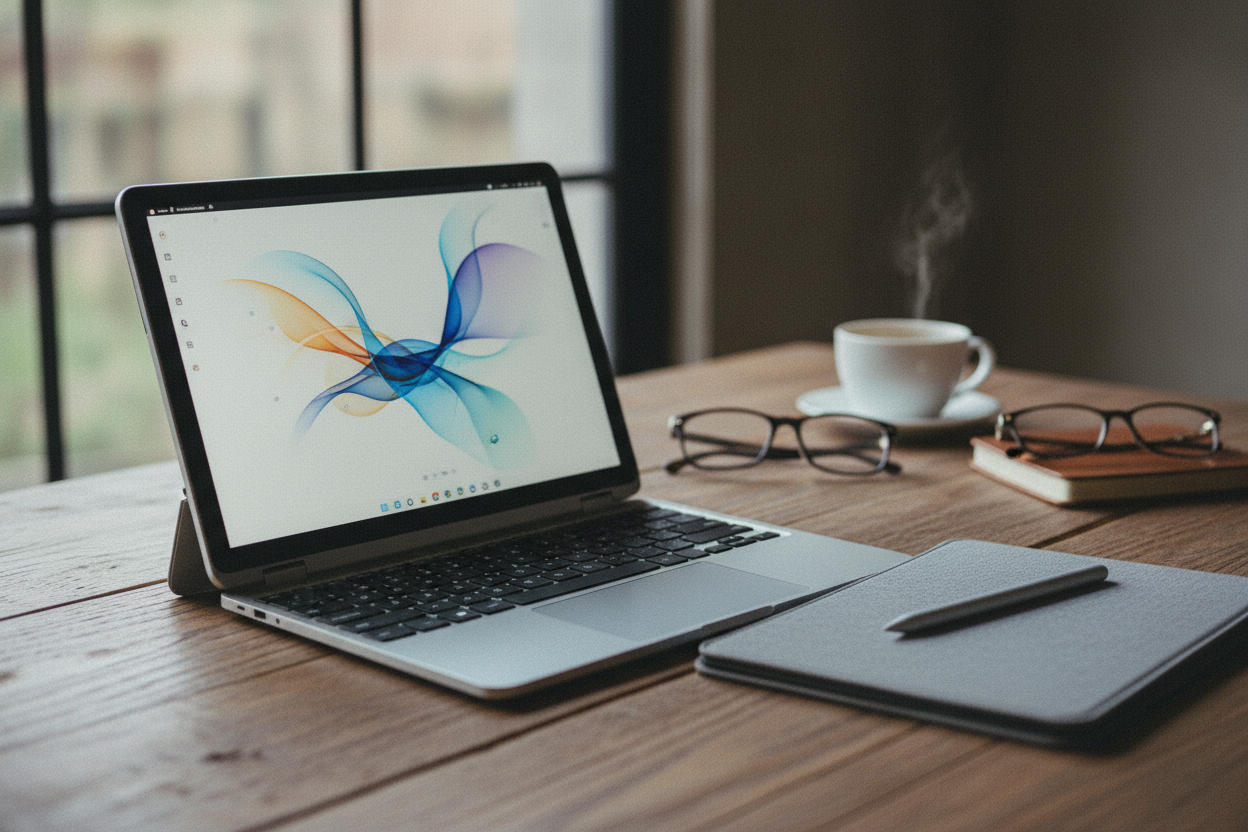
Portability, Battery, and On-the-Go Comfort. If travel, errands, or campus life define your days, portability and battery endurance rise to the top. A tablet is usually the lightest option, slipping into small bags and shining in tight spaces like airplane seats or crowded trains. Instant-on behavior, long standby, and one-handed use make quick tasks effortless. A 2-in-1 adds weight with a hinge and integrated or attachable keyboard, yet rewards you with a stable typing surface on cramped desks. Think about charging habits: tablets often sip power gently during casual use, while performance-focused 2-in-1s can draw more under sustained workloads. Heat and fans influence comfort on laps; many tablets are fanless, whereas some 2-in-1s use active cooling for consistent speeds. Consider charging ports, compact USB-C power bricks, and power-bank compatibility. If your routine includes reading, note-taking, and light browsing between outlets, a tablet's battery profile can be liberating; if you push heavy apps away from a plug, battery size and efficiency on a 2-in-1 become crucial.
Productivity, Input, and Multitasking. When serious work appears, input methods and multitasking capabilities make or break momentum. A 2-in-1 with a full keyboard, trackpad, and robust windowed apps often mirrors traditional laptop productivity, enabling layered documents, extensive spreadsheets, and rapid keyboard shortcuts. Rich file management, broader peripheral support, and multiple ports facilitate complex setups with monitors and storage. Tablets increasingly support split-screen, floating windows, and external keyboards, but their touch-first design can limit simultaneous heavy tasks and niche desktop tools. Note-taking is a strong suit for both: a low-latency stylus turns a tablet into a digital notebook, while many 2-in-1s offer comparable pen input with the advantage of desktop-grade software. If your day centers on email, web apps, video calls, and light editing, a tablet with accessories can suffice. If you compile code, wrangle large datasets, or constantly jump between pro utilities, a 2-in-1's desktop-class approach provides frictionless throughput.
Creativity and Entertainment Experience. For drawing, photo retouching, and timeline scrubbing, display quality and pen performance take center stage. Tablets tend to offer superb touch responsiveness, silky stylus strokes, and color-rich screens that feel like sketchbooks. With optimized media apps and strong mobile processors, they handle photo editing, illustration, and casual video editing gracefully. A 2-in-1 pushes deeper into professional suites, supporting full plugin ecosystems, larger canvases, and sprawling timelines, especially when paired with external displays. Consider color accuracy, brightness, and refresh rate for both creation and streaming; premium panels reduce eye strain and elevate movies and games. Built-in speakers, microphones, and camera placement influence video calls and content capture. For gaming, tablets offer instant-touch casual play and cloud options, while 2-in-1s open doors to desktop titles and controllers. If your creative flow thrives on minimal friction and mobility, a tablet shines; if you demand heavyweight tools and layered projects, the 2-in-1 advantage grows.
Build, Ergonomics, and Durability. Physical design affects how a device behaves on a desk, in hand, or on a lap. A tablet with a kickstand or folio case excels at tabletop reading and pen work but can feel wobbly for long typing sessions without a sturdy surface. A clamshell-style 2-in-1 typically offers better lapability, a stable hinge, and deeper key travel—comforts that extend work stamina. Examine materials, chassis rigidity, and hinge design; strong construction resists flex and protects internals. Thermal choices matter: fanless tablets stay silent but may throttle under heavy loads, while vented 2-in-1s sustain performance at the expense of occasional fan noise. For durability, look at scratch resistance, drop protection via cases, and repairability options. Ports reduce dongle reliance but add cutouts that can collect dust; minimalist tablets keep it sleek but may necessitate hubs. Ergonomically, display size, aspect ratio, and bezels influence grip comfort, note-taking posture, and how well you can split the screen without crowding content.
Total Cost, Upgrades, and Longevity. Budgeting goes beyond the sticker price. A base tablet may seem affordable, yet the must-have keyboard, stylus, and extra storage can shift the equation. A 2-in-1 often includes a keyboard and more generous RAM and storage, but premium configurations raise costs. Consider software updates, driver support, and app availability, all of which shape useful lifespan. Many tablets rely on cloud storage; factor recurring services into long-term value. 2-in-1s sometimes allow expandable storage or easier peripheral integration, reducing future friction. Battery health is another lever—efficient devices age more gracefully. Evaluate resale value, warranty coverage, and accidental damage options to mitigate risk. If you prioritize low-maintenance simplicity and plan to refresh devices regularly, a tablet's straightforward ecosystem might be ideal. If you want one machine to shoulder work and play for years with flexible I/O and desktop tools, a well-chosen 2-in-1 can deliver stronger return on investment.
Decision Checklist and Real-World Scenarios. Match device strengths to lived routines. For students and commuters who prize lightweight carry, instant notes, and long battery life, a tablet with a quality keyboard case hits the sweet spot. For hybrid professionals who jump from meetings to spreadsheets to design mockups, a 2-in-1 balances touch, pen, and traditional typing without compromise. Creators who sketch anywhere may love the immediacy of a tablet; editors who manage big assets benefit from a 2-in-1's ports, external drives, and expansive apps. Families sharing a device will appreciate a tablet's simplicity and parental controls; dedicated home offices lean toward a 2-in-1 docked to monitors. If you can't decide, consider a hybrid workflow: a tablet for capture and consumption, synced via cloud to a 2-in-1 for deep work. In the broad landscape of computers and consumer electronics, clarity comes from purpose; let your daily habits, not hype, guide the final choice.